The Reporting section is your live marketing performance dashboard. It consolidates the results of every the platform-managed campaign in one place, allowing you to monitor lead generation and ROI across all active channels without logging into multiple platforms.
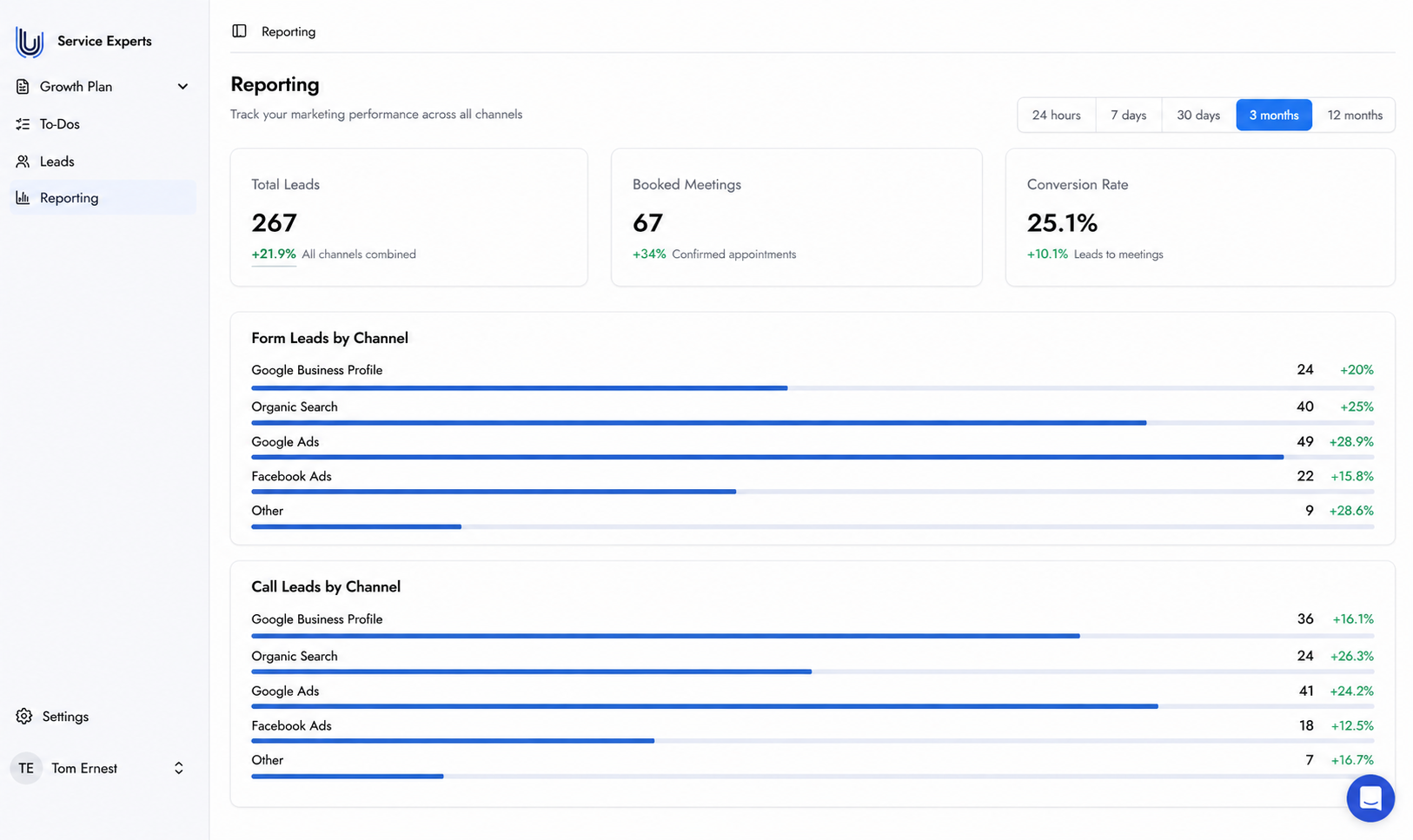
The Reporting dashboard shows three headline KPI cards at the top — Total Leads, Booked Meetings, and Conversion Rate — each showing the current figure and the percentage change versus the previous period. Below the KPIs, leads are broken down by channel in three separate sections:
Form Leads by Channel — showing how many form submissions came from each source (Google Business Profile, Organic Search, Google Ads, Facebook Ads, and Other).
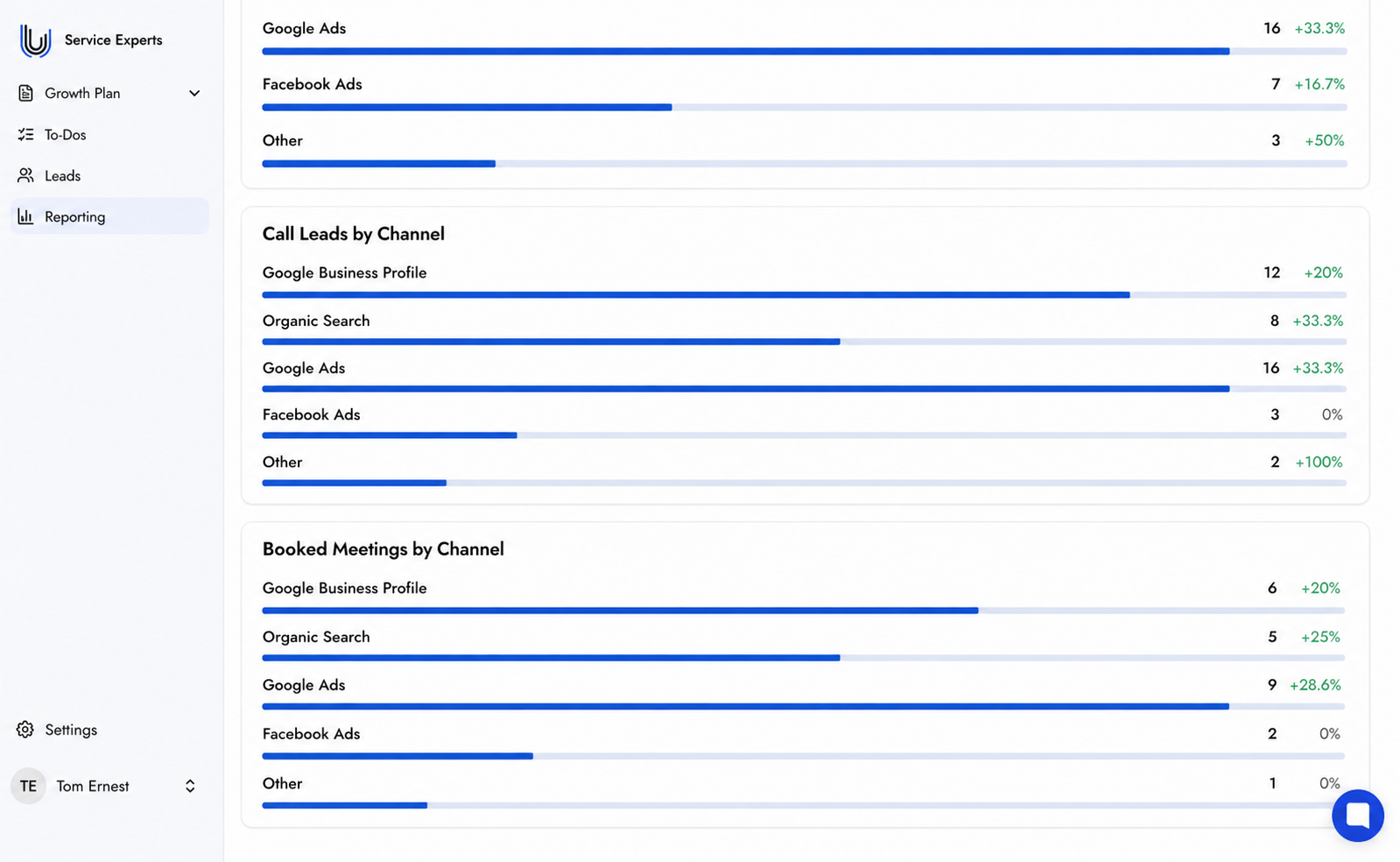
Call Leads by Channel — showing how many phone leads came from each source.
Booked Meetings by Channel — showing confirmed appointments attributed to each channel.
A time-range filter at the top right lets you switch between 24 hours, 7 days, 30 days, 3 months, and 12 months.
The Reporting dashboard showing KPI summary cards and leads broken down by channel.
The Booked Meetings by Channel section, showing confirmed appointments per marketing source.
Reports appear once there is activity data. Until campaigns are live and generating leads, the section will display a message indicating no data is available yet. Data begins populating as soon as the Tracking system is live and the first leads are captured.
No. Reporting populates automatically once tracking is configured and your campaigns are live. No setup is required.
The Reporting dashboard updates in real time. Data appears as soon as leads are captured and activity is recorded across your active channels.