The Settings section is accessible from the bottom of the left navigation. It is where you manage your business integrations and notification preferences. It contains two sub-sections: Integrations and Lead Notifications.
The Integrations sub-section is where you connect your marketing platforms to enable automated tracking and optimization. Three integrations are available:
Google Business Profile — required for Near Me tracking and local SEO services. Provides access to business stats and insights. To connect:
Click the Connect button on the Google Business Profile card.
A Google account selector will appear. Choose the Google account that manages your Google Business Profile.
If the account you need is not listed, click Use another account and sign in with the correct credentials.
Once the account is selected and authorized, the button will update to show Connected.
Note: You must select the Google account that has manager or owner access to your Google Business Profile. If you are not the manager of your profile, ask the person who is to complete this step.
Google Search Console — required for organic search performance tracking and PPC services. Connect using the Connect Search Console button.
Google Ads — required for PPC campaign management, optimization, and performance tracking. Connect using the Connect Google Ads button.
The Integration Status bar at the bottom shows how many of the 3 integrations are currently connected. Connecting all integrations unlocks the full potential of the autonomous marketing system.
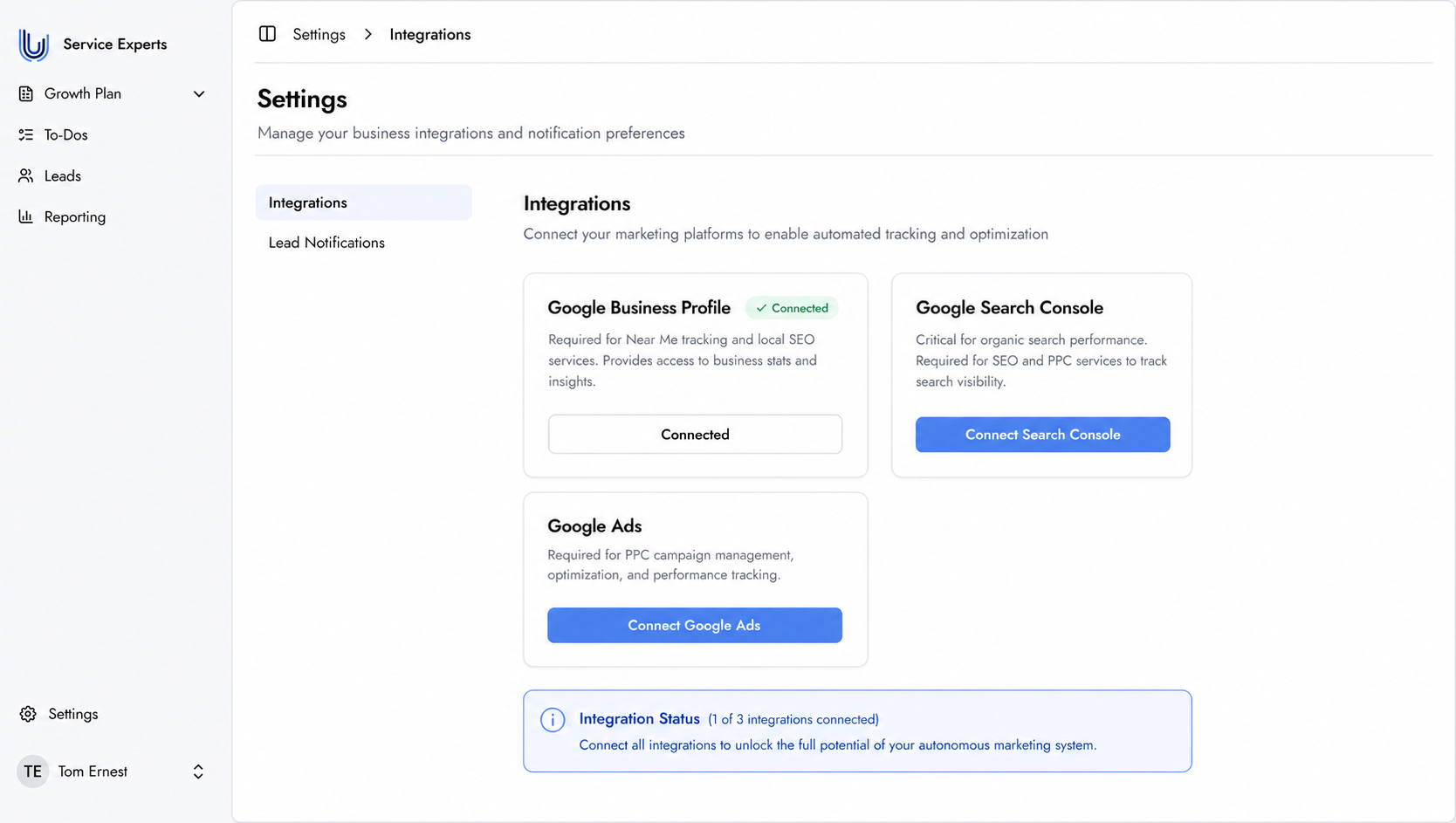
The Integrations page — connect your marketing platforms to enable full tracking and optimization.
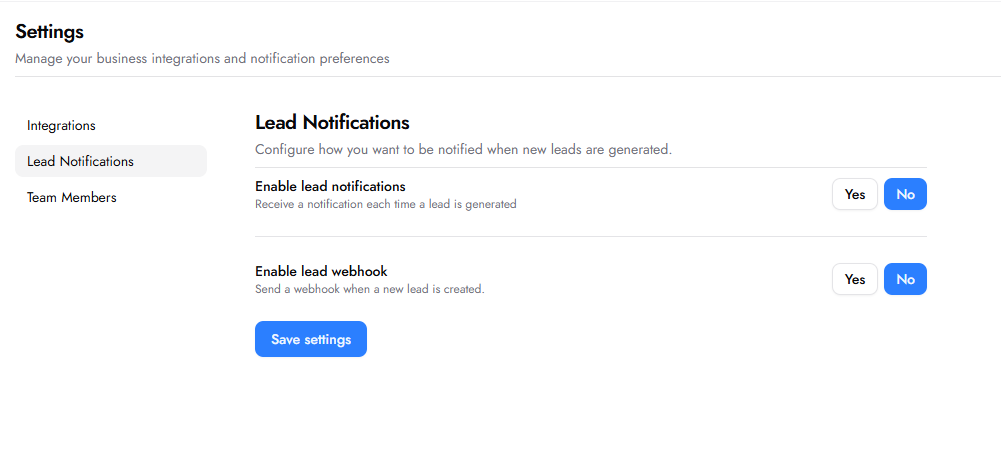
The Lead Notifications sub-section lets you configure how you want to be notified when new leads are generated.
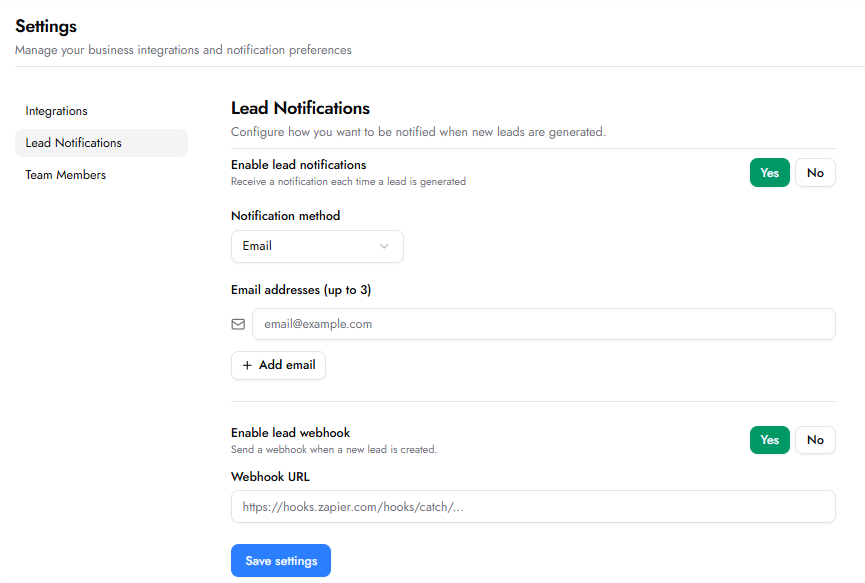
Enable lead notifications — toggle Yes or No. When set to Yes, the following fields appear:
Notification method — choose how you want to receive notifications. Options: Email, SMS, or Both.
Email addresses (up to 3) — add up to 3 email addresses to notify every time a lead is generated. Use the + Add email button to add additional addresses.
Enable lead webhook — toggle Yes or No. When set to Yes, a Webhook URL field appears. Enter the webhook URL from your automation platform (e.g. Zapier, Make, or any other system that accepts webhooks). This sends all new lead data directly to your connected system in real time, allowing you to route leads into any external CRM, spreadsheet, notification tool, or workflow — without any manual effort.
Click Save settings to apply any changes.
Yes. Integrations can be connected or updated at any time from the Settings section. Some integrations are also connected as part of specific To-Dos — for example, Google Business Profile is connected inside the Near Me SEO and Tracking To-Dos.