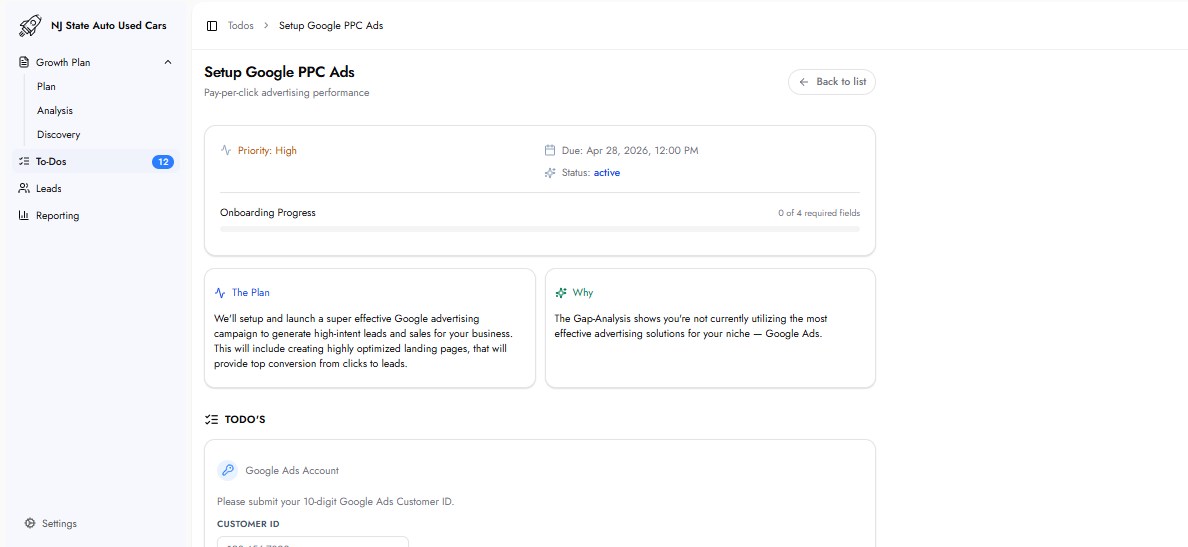
This task sets up and launches a Google Ads campaign designed to generate high-intent leads and sales. The setup includes creating a keyword list tailored to your services and service area, building highly optimized landing pages on your website, and configuring the campaign for maximum conversion from click to lead.
If you do not have a Google Ads account, the To-Do includes a direct 'Click here to create one' link. Creating an account is free and the Customer ID is available immediately after account creation.
Website Backend Access
Backend Login URL: The URL of your website's admin or backend login page (e.g. https://yourwebsite.com/wp-admin).
Username / Email: The admin username or email address used to log into your website backend.
Password: The admin password. All credentials are encrypted at rest and are used exclusively to create landing pages and install the tracking pixel.
You receive your keyword list — this is already researched during the Gap Analysis phase. The list is sent to you within a few business days for review and approval.
Once the keyword list is confirmed, the team begins setting up the campaign and building landing pages.
Landing pages are sent to you for review and approval before going live.
Once landing pages are approved, the campaign launches and begins generating leads.
Live performance data appears in the Reporting section of the Customer Hub.
Yes. You receive a full keyword list for review and feedback before the team sets up the campaign. No campaign goes live without your approval of the keywords.
Yes. Landing pages are sent to you for review and approval before the campaign launches.
The To-Do includes a direct 'Click here to create one' link. Creating a Google Ads account is free. The Customer ID is immediately available after account creation.
Once submitted, the To-Do cannot be modified. Contact your account manager immediately if incorrect information was submitted.