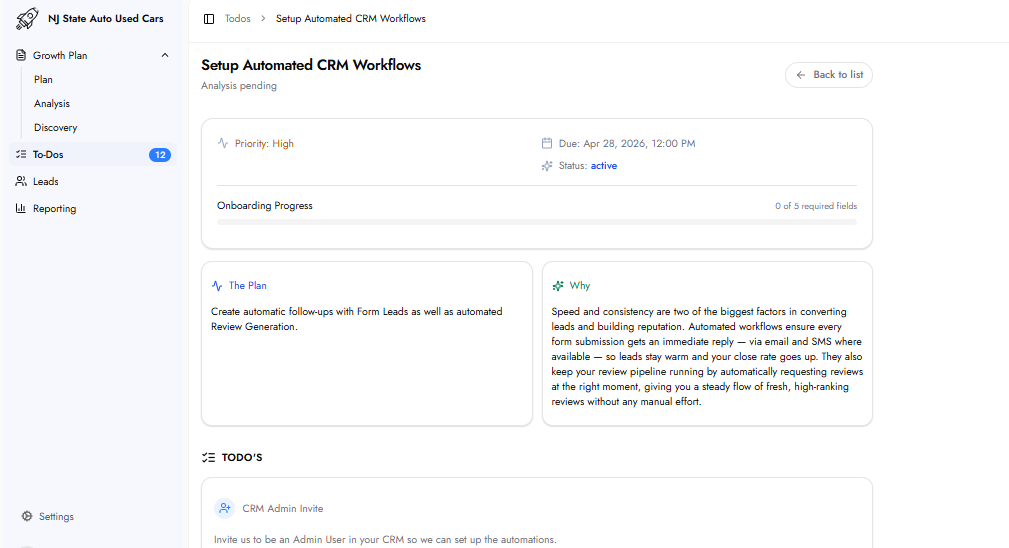
This task sets up two automated workflows inside your existing CRM: Form Lead Follow-Up and Review Generation. These automations ensure every incoming form lead receives an immediate response and every completed job generates a review request — without any manual effort.
Speed and consistency are the two biggest factors in converting leads and building reputation. Automated workflows eliminate delayed follow-up by responding to every form submission instantly via email and SMS. The review generation workflow maintains a consistent pipeline of new online reviews, which directly supports local search visibility and conversion rates.
The team must be added as an Admin User inside your CRM to build and deploy the automations. Send an admin invite from inside your CRM to:
Name: Mplanner
Email: [email protected]
After sending the invite, confirm by clicking the 'Mark as Sent' button on the To-Do form.
Status Trigger: The CRM deal or contact status that triggers the review request. This should be the status that indicates the job is fully completed. Examples: Won, Paid, Completed. Multiple statuses can be entered.
Delay (Days): Days to wait after the status trigger before sending the review request. Default is 0. Set a delay when there is a gap between the status change and job completion. Example: payment received today for a job taking two weeks — set a delay of 14 days.
Form Lead Notifications
Recipients: Email address(es) of team members who should be notified when a new form lead arrives. This is for the person responsible for following up on form submissions.
Lead List / Folder
Lead List / Folder: The specific list, folder, or pipeline inside your CRM where new leads should be pushed. Example: 'Inbound Leads > Marketing'.
Additional Notes: Any other instructions the platform should know when setting up the automations. Optional.
Once the team gains admin access to your CRM, it deploys the tracking pixels and phone numbers. Performance data then begins appearing in the Reporting dashboard.
the platform integrates with your existing CRM — whichever platform your business already uses. No specific CRM is required.
If you don't currently have a CRM, the Gap Analysis will identify this and the team will recommend its own CRM product, HubOne, as part of your plan. See the Setup CRM HubOne To-Do for more details.
Form Lead Notifications in this To-Do specifies which team members receive an internal operational alert when a form lead arrives. The Lead Notification Preferences To-Do controls whether you personally receive an email or SMS alert every time any lead is generated.