
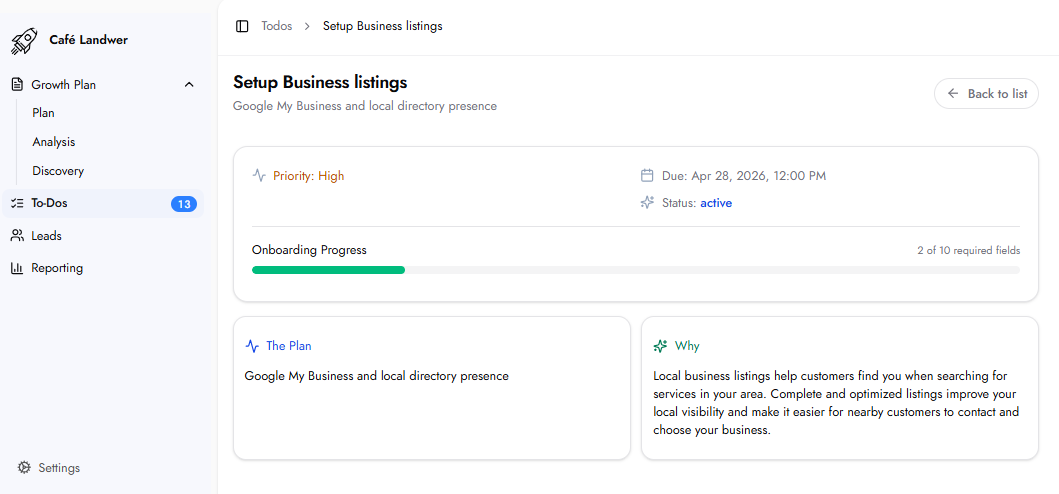
The Plan
This task enables the platform to create, claim, and optimize your business listings across major online directories and local search platforms, with Google Business Profile as the primary focus.
Why This Matters
Local business listings are how customers find your business when searching for services in their area. An accurate, consistent listing across major directories directly improves local search visibility, builds trust with potential customers, and makes it easier for nearby buyers to contact your business. The Business Listings score in the Analysis section shows how your business currently compares across the 50 directories the platform monitors.
How This To-Do Works
The Setup Business Listings To-Do does not contain its own separate input fields. The required information for listings setup is drawn from the Approve Business Profile To-Do. The Onboarding Progress counter on this To-Do reflects how complete your Business Profile is. Completing the Approve Business Profile To-Do first is what provides the information needed for listings setup.
What Happens Next
Once you submit this To-Do, the team begins the listings setup across the 50 monitored directories.
Frequently Asked Questions
How many directories will my business be listed on?
The platform manages and monitors listings across 50 directory sites, including Google Places, Yelp, Bing, YP.com, Facebook, MapQuest, CitySquares, MerchantCircle, Tupalo, and others.
What if my business information changes after listings are set up?
The platform manages listings from a central system and syncs updates across all active directories. If information changes, contact your account manager.