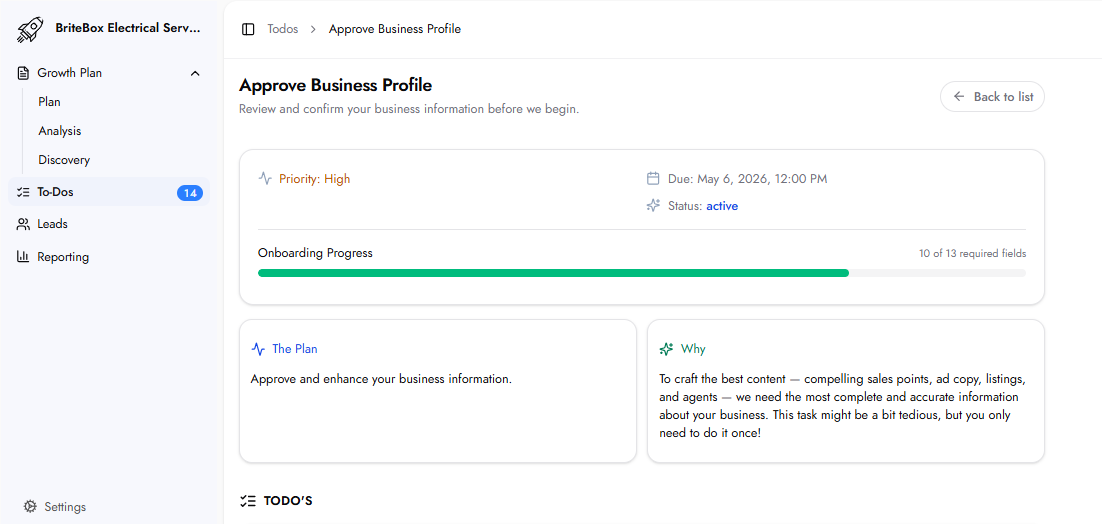
This task collects, verifies, and enhances the complete business profile that powers all of the marketing outputs. The information submitted here is used to generate ad copy, listing content, website content, and AI agent scripts. It only needs to be completed once.
The quality of every marketing output depends directly on the completeness and accuracy of your business profile. A complete, detailed profile enables the platform to create highly specific, compelling content. Incomplete profiles result in generic, less effective marketing across every channel.
A one-paragraph free-text description of your business. Pre-populated from Discovery. Review and update as necessary.
A list of all services and products you offer. Each entry includes:
Service / Product Name: The name of the service or product.
Description: What the service includes and who it is for.
Price Range: An approximate price range.
Services come pre-populated from Discovery. You can review, update, and add new services using the 'Add service / product' button.
Business Legal Name: The official registered legal name of your business.
DBA (if relevant): The 'Doing Business As' name if different from the legal name.
Business Legal Address: The full legal address of your business.
Website URL: Your primary website URL.
Phone Numbers: One or more phone numbers. Add additional numbers using the 'Add phone' button.
Email Addresses: One or more business email addresses. Add using the 'Add email' button.
Operating hours for each day of the week. Each day (Monday through Sunday) has its own Opens at and Closes at dropdown selectors.
Links customers can click to take action beyond calling — booking pages, contact forms, or scheduling tools. Add using the 'Add CTA' button.
Team members can be added using the 'Add team member' button.
Direct URL fields for your Facebook, Instagram, and LinkedIn profiles.
A free-text field for any information not covered above that is relevant to your marketing. Examples: testimonials, case studies, accreditations, awards, charity work, military discounts, multilingual support.
This information is used across the entire the platform system to power all marketing outputs. It can be accessed and updated at any time if something changes.
Yes. The profile can be updated at any time if your business information changes.